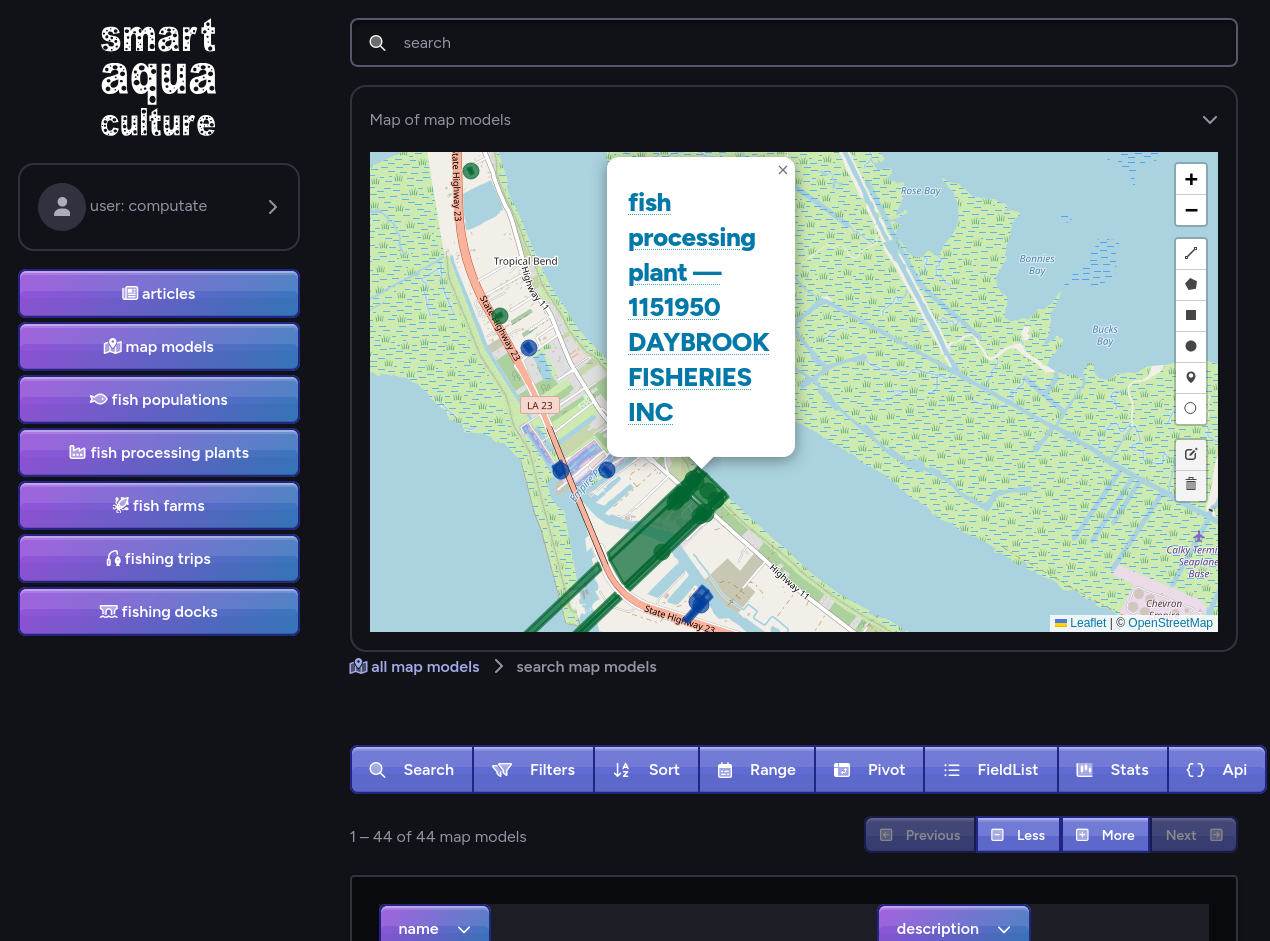
Smart Aquaculture Developer
Learn the skills of a professional cloud application developer, building smart data-driven applications to solve ecological data problems with the Smart Aquaculture Developer
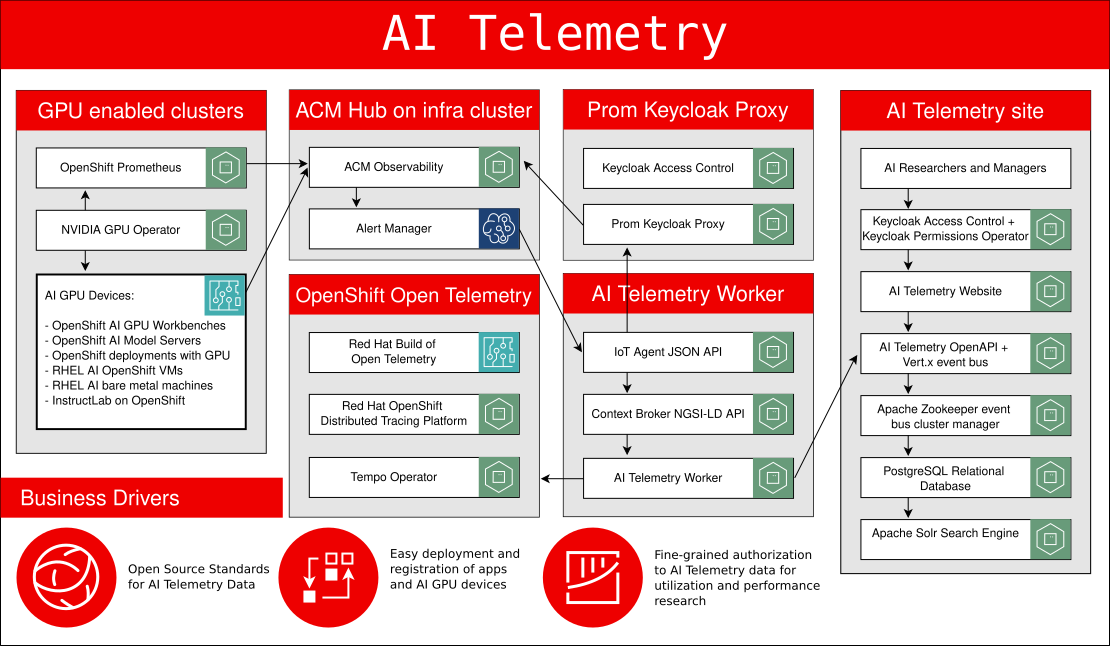
Computate Smart Cloud Deployer
Learn how to deploy open source smart device microservices to the cloud and try out your own secure IoT smart platform with built-in security.
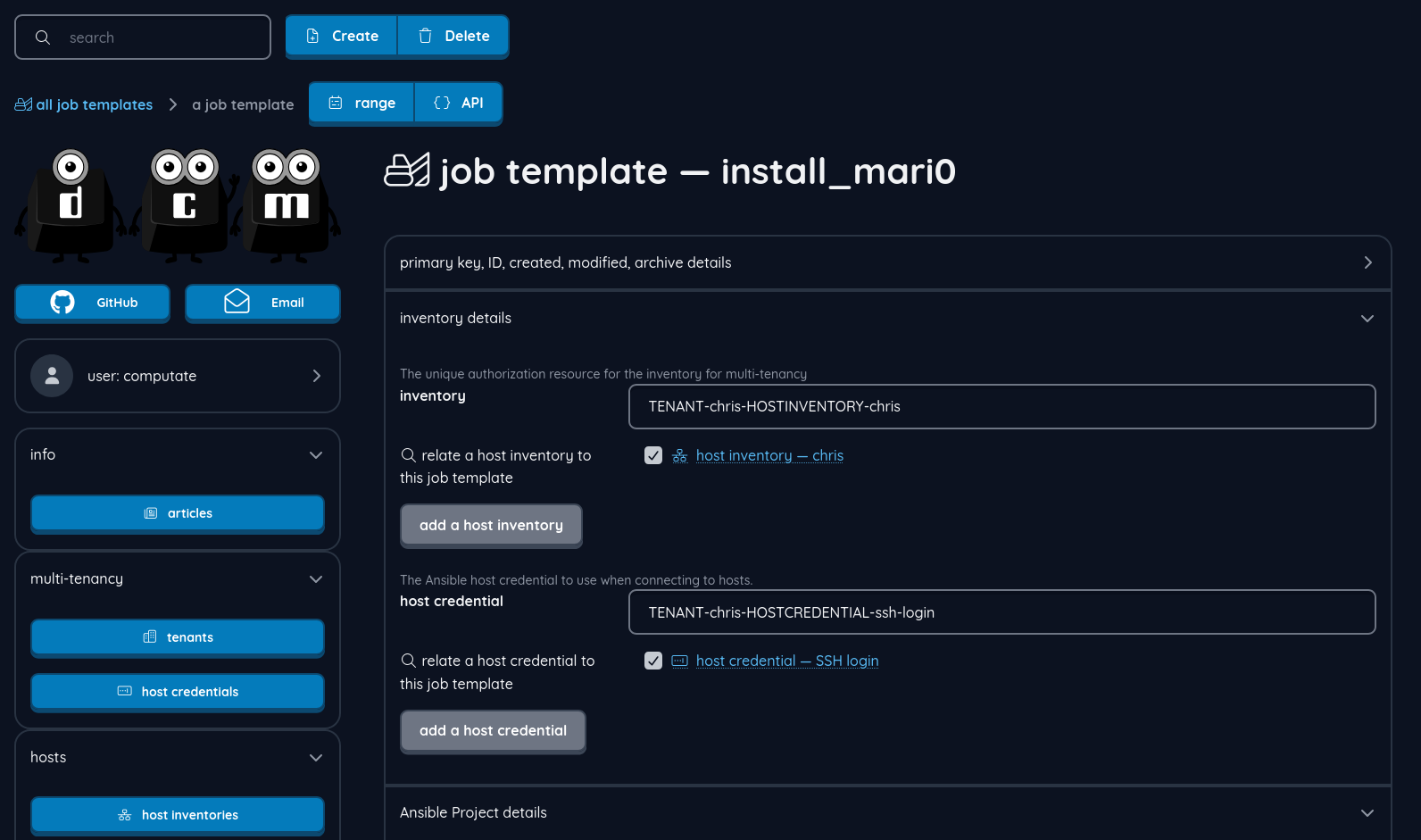
Developer Computer Management
Learn how to use to compile and run fun open source games and useful Linux software on your own Linux computer with self-healing, event-driven automation.
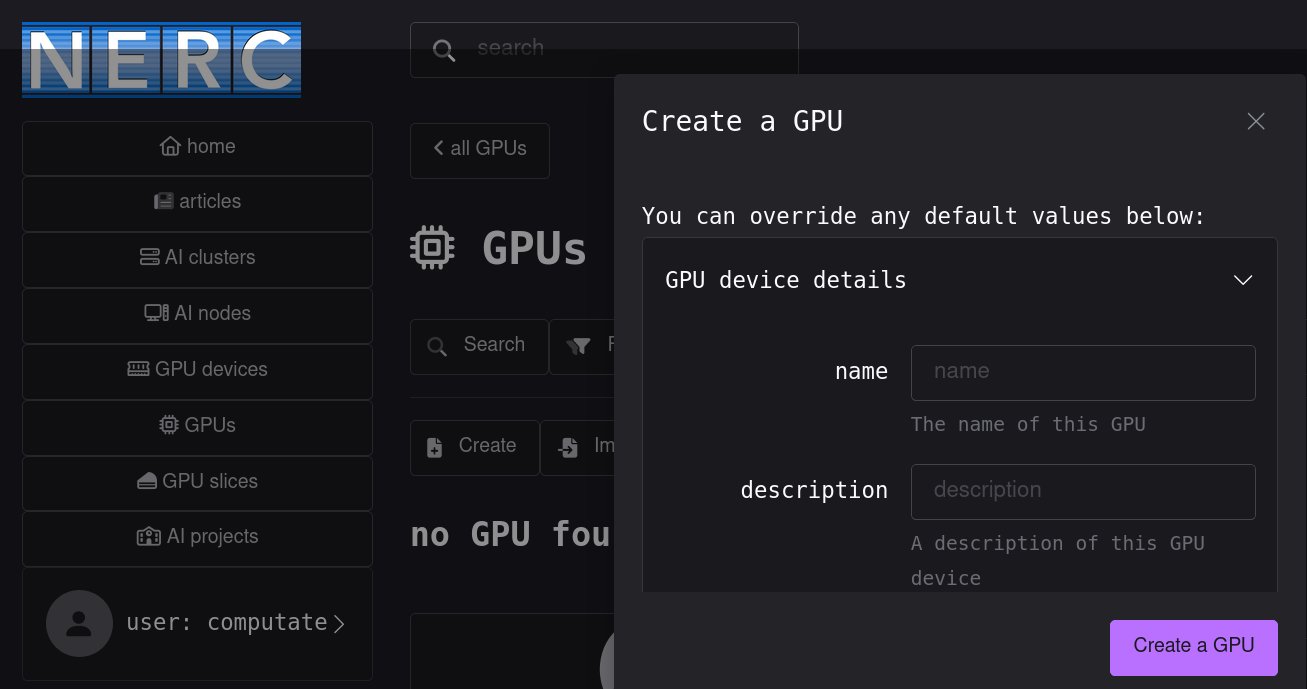
Computate Smart Website Builder
Build a custom data-driven website for your own ideas with the Computate Smart Website Builder
Develop an open source FIWARE data space for ocean, fish population, map, water quality, and ecological forecasting data.
Simulate fishing trips from fishing docks to fish populations, running simulations to calculate the cost of seasonal fishing.
Our goal is to use AI to demonstrate the value of a new aquaculture/fisheries economy based on a digital twin.
Integrate Open Street Map and Overpass APIs with fish populations as a digital twin to simulate the fishing industry, finding ways to optimize the supply chain with AI.
Implement blockchain distributed technology for tracking fish creates traceable value for seafood.
Integrate with IoT devices and university research programs to build modern edge-to-cloud solutions to improve aquaculture and fishery observability and GitOps for resilience against storms.
See how easy it is to get started with open source software development with the Smart Aquaculture developer platform.
University research inquiries into clubs, training, program collaboration are being considered in 2026. Please email smaq@group.computate.org for more information.
Things you'll learn:
- How to configure VSCode to develop the Smart Aquaculture Developer.
- How to install an up to date OpenJDK Java Development Kit on your system.
- How to fork the computate.org GitHub repositories to develop new features and pull requests.
- How to build your sovereign AI code generation model of your code base on your own computer. The Computate AI code generation tools never share your data with anyone. The entire code model is stored in your own Apache Solr search engine, and is used to build your own ideas into code up to 50 times faster than you could do by hand, you'll see!
- How to start the Computate sovereign AI code generation watcher service to generate code as you save.
- Use Jupyter Notebooks that help you update your project with new APIs and data models and integrate them into your site.
The Smart Aquaculture Developer runs on a Microsoft Windows 11 Professional computer, or Linux x86_64 computer. Supported operating systems and Linux distributions include:
Other Linux distros may also be supported
Unfortunately, MacOS is not supported with OpenShift Local since MacOS became ARM64 architecture.
If you are purchasing a laptop or desktop computer, I would suggest the following specs:
- At least 64 GiB RAM. Laptops with at least 64 GiB RAM have enough to run OpenShift Local and Spine Programming microservices.
- At least 12 CPUs. Laptops with at least 12 CPUs have enough to run OpenShift Local and Spine Programming microservices.
- At least 500 GiB solid state drive (SSD) storage. 1 TiB is enough storage for most developer's applications and documents.
- No GPUs are required for Spine Programming.
Get your questions answered. The webinars will occur live most weekdays.
Learn with the computate.org open source community as we build the platform together.
Modern development tools
Learn how to install all the latest cloud deployment tools on your own computer like VSCode, Jupyter, Ansible, Helm, and OpenShift command line interface, and start deploying microservices to the cloud like a modern cloud developer.
Cloud-native microservices
Deploy modern microservices to an OpenShift Local environment on your own laptop in development, or in production. Applications include FIWARE IoT Agent JSON, ScorpioBroker FIWARE Context Broker, certificate management, event bus application clustering, databases, a search engine, and single sign-on server for securing and scaling your data-driven website.
Manage cloud secrets
Learn how to configure secrets in the cloud that allow applications to connect to each other securely.
Configure relational databases
Set up access to a new database for your applications.
Configure fine-grain authorization to data
Create authentication realms, clients, OAuth identity providers, and fine-grain resources, scopes, policies, and permissions to data and dashboards.
Connect it all together by deploying a complete data-driven website
Learn how to configure and deploy a custom data-driven website like computate.org with articles, events, courses, products, services, and smart data models, so that you can do it yourself.
See how easy it is to get started with open source software development with the Smart Aquaculture developer platform.
University research inquiries into clubs, training, program collaboration are being considered in 2026. Please email smaq@group.computate.org for more information.
Things you'll learn:
- How to configure VSCode to develop the Smart Aquaculture Developer.
- How to install an up to date OpenJDK Java Development Kit on your system.
- How to fork the computate.org GitHub repositories to develop new features and pull requests.
- How to build your sovereign AI code generation model of your code base on your own computer. The Computate AI code generation tools never share your data with anyone. The entire code model is stored in your own Apache Solr search engine, and is used to build your own ideas into code up to 50 times faster than you could do by hand, you'll see!
- How to start the Computate sovereign AI code generation watcher service to generate code as you save.
- Use Jupyter Notebooks that help you update your project with new APIs and data models and integrate them into your site.
The Computate Smart Cloud Deployer runs on a Microsoft Windows 11 Professional computer, or Linux x86_64 computer. Supported operating systems and Linux distributions include:
Other Linux distros may also be supported
Unfortunately, MacOS is not supported with OpenShift Local since MacOS became ARM64 architecture.
If you are purchasing a laptop or desktop computer, I would suggest the following specs:
- At least 64 GiB RAM. Laptops with at least 64 GiB RAM have enough to run OpenShift Local and Spine Programming microservices.
- At least 12 CPUs. Laptops with at least 12 CPUs have enough to run OpenShift Local and Spine Programming microservices.
- At least 500 GiB solid state drive (SSD) storage. 1 TiB is enough storage for most developer's applications and documents.
- No GPUs are required for Spine Programming.
Get your questions answered. The webinars will occur live most weekdays.
Learn with the computate.org open source community as we build the platform together.
See how easy it is to get started with open source software development with the Smart Aquaculture developer platform.
University research inquiries into clubs, training, program collaboration are being considered in 2026. Please email smaq@group.computate.org for more information.
Things you'll learn:
- How to configure VSCode to develop the Developer Computer Management.
- How to install an up to date OpenJDK Java Development Kit on your system.
- How to fork the computate.org GitHub repositories to develop new features and pull requests.
- How to build your sovereign AI code generation model of your code base on your own computer. The Computate AI code generation tools never share your data with anyone. The entire code model is stored in your own Apache Solr search engine, and is used to build your own ideas into code up to 50 times faster than you could do by hand, you'll see!
- How to start the Computate sovereign AI code generation watcher service to generate code as you save.
- Use Jupyter Notebooks that help you update your project with new APIs and data models and integrate them into your site.
The Developer Computer Management runs on a Microsoft Windows 11 Professional computer, or Linux x86_64 computer. Supported operating systems and Linux distributions include:
Other Linux distros may also be supported
Unfortunately, MacOS is not supported with OpenShift Local since MacOS became ARM64 architecture.
If you are purchasing a laptop or desktop computer, I would suggest the following specs:
- At least 64 GiB RAM. Laptops with at least 64 GiB RAM have enough to run OpenShift Local and Spine Programming microservices.
- At least 12 CPUs. Laptops with at least 12 CPUs have enough to run OpenShift Local and Spine Programming microservices.
- At least 500 GiB solid state drive (SSD) storage. 1 TiB is enough storage for most developer's applications and documents.
- No GPUs are required for Spine Programming.
Get your questions answered. The webinars will occur live most weekdays.
Learn with the computate.org open source community as we build the platform together.
Modern development tools
Use VSCode and interactive Jupyter notebooks to start writing code like a real cloud-native developer.
Cloud-native microservices
Deploy cloud microservices in a Red Hat OpenShift Local cloud environment on your own computer for certificate management, event bus application clustering, databases, a search engine, and single sign-on server for securing and scaling your data-driven website.
Automate tasks
Learn reactive programming
Build interactive dashboards
Cloud-native microservices
- PostgreSQL Database for transactional data storage
- Apache Zookeeper Cluster Manager for event bus messaging
- Apache Solr Search Engine for autosuggest and searchable APIs
- Keycloak Single Sign-On for fine-grain access control to Smart Aquaculture data
- FIWARE Context Broker for open source IoT edge device standards
The prerequisite to using this product is to start with the Computate Smart Cloud Deployer to build your cloud development environment.
Learn how to deploy open source smart device microservices to the cloud with the Computate Smart Cloud Deployer
University research inquiries into clubs, training, program collaboration are being considered in 2026. Please email smaq@group.computate.org for more information.
- Install Java
- Build the variables for your custom data-driven website.
- Learn how to use the Computate Sovereign AI Code Generation Platform.
- Create your project PostgreSQL database.
- Create your project authorization Realm and Client.
- Create a Solr Search Engine collection.
- Configure Font Awesome icons and Web Awesome web components.
- Create all the scaffolding code for your custom website really fast.
- Integrate relevant Smart Data Models into your site.
- Finish creating your base project.
- Create new APIs and data models for your site.
The Computate Smart Website Builder runs on a Microsoft Windows 11 Professional computer, or Linux x86_64 computer. Supported operating systems and Linux distributions include:
Other Linux distros may also be supported
Unfortunately, MacOS is not supported with OpenShift Local since MacOS became ARM64 architecture.
If you are purchasing a laptop or desktop computer, I would suggest the following specs:
- At least 64 GiB RAM. Laptops with at least 64 GiB RAM have enough to run OpenShift Local and Spine Programming microservices.
- At least 12 CPUs. Laptops with at least 12 CPUs have enough to run OpenShift Local and Spine Programming microservices.
- At least 500 GiB solid state drive (SSD) storage. 1 TiB is enough storage for most developer's applications and documents.
- No GPUs are required for Spine Programming.
Get your questions answered. The webinars will occur live most weekdays.
Learn with the computate.org open source community as we build the platform together.
© Computate Limited Liability Company in Utah, USA.